
Task 1 What Is Content Discovery?
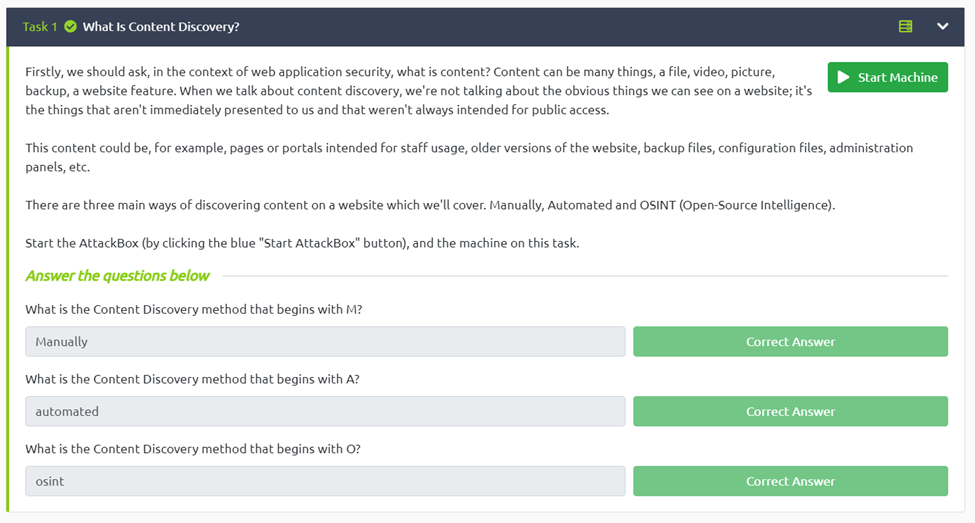
From our reading we know Manual, automatic and osint are our answers for this
What is the Content Discovery method that begins with M?
Manually
What is the Content Discovery method that begins with A?
automated
What is the Content Discovery method that begins with O?
Osint
Task 2 Manual Discovery – Robots.txt
What is the directory in the robots.txt that isn’t allowed to be viewed by web crawlers?
For this we just navigate to webpage on our attack box mine was http://10.10.30.80/robots.txt and it clearly says disallow: /staff-portal

Task 3 Manual Discovery – Favicon
What framework did the favicon belong to?
The first thing we need to do is run the url through md5 on the cli using the curl syntax ” curl https://static-labs.tryhackme.cloud/sites/favicon/images/favicon.ico | md5sum”. The we can head over to to wiki https://wiki.owasp.org/index.php/OWASP_favicon_database. Now hitting ctrl+f and searching for our md5 hash we an se the frame work of cgiirc.

Task 4 Manual Discovery – Sitemap.xml
What is the path of the secret area that can be found in the sitemap.xml file?
For this we just navigate to the http://10.10.30.80/sitemap.xml . We can just scroll through the site map and see that /s3cr3t-area

Task 5 Manual Discovery – HTTP Headers
What is the flag value from the X-FLAG header?
All we need to do for this is run the curl command curl http://10.10.30.80 -v we could also use burp to intercept the header as well. Now we just scroll up to the headers section and we see the x-header

Task 6 Manual Discovery – Framework Stack
What is the flag from the framework’s administration portal?
So for this one we need to do a little research first we need to find out the frame work, to do this we can view the page source and we see the webpages uses the thm framework. Now we navigate to frame work page https://static-labs.tryhackme.cloud/sites/thm-web-framework and go to the documentation we can see that the admin login is stored under the directory of /thm-framework-login and also uses the default credentials of admin:admin. If we try this, we get our flag.

Task 7 OSINT – Google Hacking / Dorking
What Google dork operator can be used to only show results from a particular site?
Just from our reading we know site: will return only results from a specific website

Task 8 OSINT – Wappalyzer
What online tool can be used to identify what technologies a website is running?
Our reading shows us the answer is wappalyzer

Task 9 OSINT – Wayback Machine
What is the website address for the Wayback Machine?
The reading tells us that https://archive.org/web/ is the address

Task 10 OSINT – GitHub
What is Git?
As we read git is a version control system.

Task 11 OSINT – S3 Buckets
What URL format do Amazon S3 buckets end in?
Again our reading tells us s3 buckets look like s3.amazonaws.com

Task 12 Automated Discovery
The first syntax I used is ffuf with the syntax “ffuf -w /usr/share/wordlists/SecLists/Discovery/Web-Content/common.txt -u http://10.10.30.80/FUZZ” and this is basically using common.txt wordlist against the website. This wasn’t helpful
What is the name of the directory beginning “/mo….” that was discovered?
To find this I ran “dirb http://10.10.30.80/ /usr/share/wordlists/SecLists/Discovery/Web-Content/common.txt | grep “/mo…..” Now we get /monthly as an output
What is the name of the log file that was discovered?
If we run dirb http://10.10.30.80/ /usr/share/wordlists/SecLists/Discovery/Web-Content/common.txt we can see /development.log

 R3ap3rd0g