
Task 1 Introduction
When did Microsoft acquire the Sysinternals tools?
The reading says 2006 is when sysinternals were acquired.
I deployed the attached virtual machine and I’m ready to move on…

Task 2 Install the Sysinternals Suite
What is the last tool listed within the Sysinternals Suite?
If we scroll to the boot of our uncompressed zip we see zoomit is the last tool.

Task 3 Using Sysinternals Live
What service needs to be enabled on the local host to interact with live.sysinternals.com?
From going through the instructions we know that webclient needs to be enabled.

Task 4 File and Disk Utilities
There is a txt file on the desktop named file.txt. Using one of the three discussed tools in this task, what is the text within the ADS?
The first thing we must do is find the hidden file name, we can do this by opening powershell and running “streams :\Users\Administrator\Desktop\file.txt” This returned a ADS with the name ads.txt. Next we can open this using notepad on the PS by running “notepad c:\Users\Administrator\Desktop\file.txt:ads.txt” This will open notepad with our flag in it.

Task 5 Networking Utilities
Using WHOIS tools, what is the ISP/Organization for the remote address in the screenshots above?
If we go to the whois lookup online and type in the ip 52.154.170.173 we can see that this IP belongs to the Microsoft Corporation

Task 6 Process Utilities
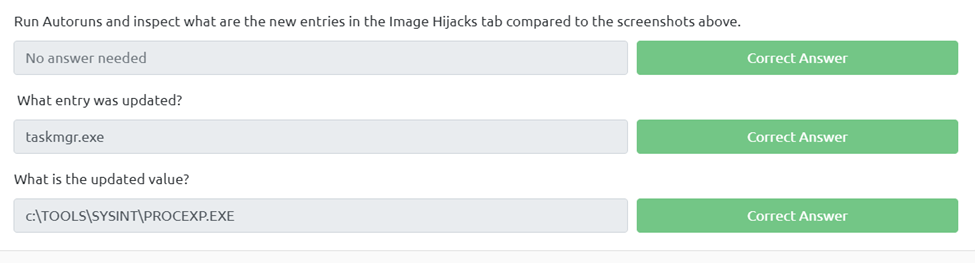
Run Autoruns and inspect what are the new entries in the Image Hijacks tab compared to the screenshots above.
What entry was updated?
If we use our Autoruns hijacked images we can compare it to the above screenshot and we can see we have more files and the taskmgr.exe was updated
What is the updated value?
If we look over to the right we can see the image path that was updated.
Task 7 Security Utilities

Task 8 System Information

Task 9 Miscellaneous
Run the Strings tool on ZoomIt.exe. What is the full path to the .pdb file?
First we need to make sure were in the tools\systemint directory. Next we just need to run our strings command using “strings .\ZoomIt.exe | findstr /i .pdb” This is going to find the 2 files with the .pdb in the string and we get the full directory for our flag.

Task 10 Conclusion

 R3ap3rd0g